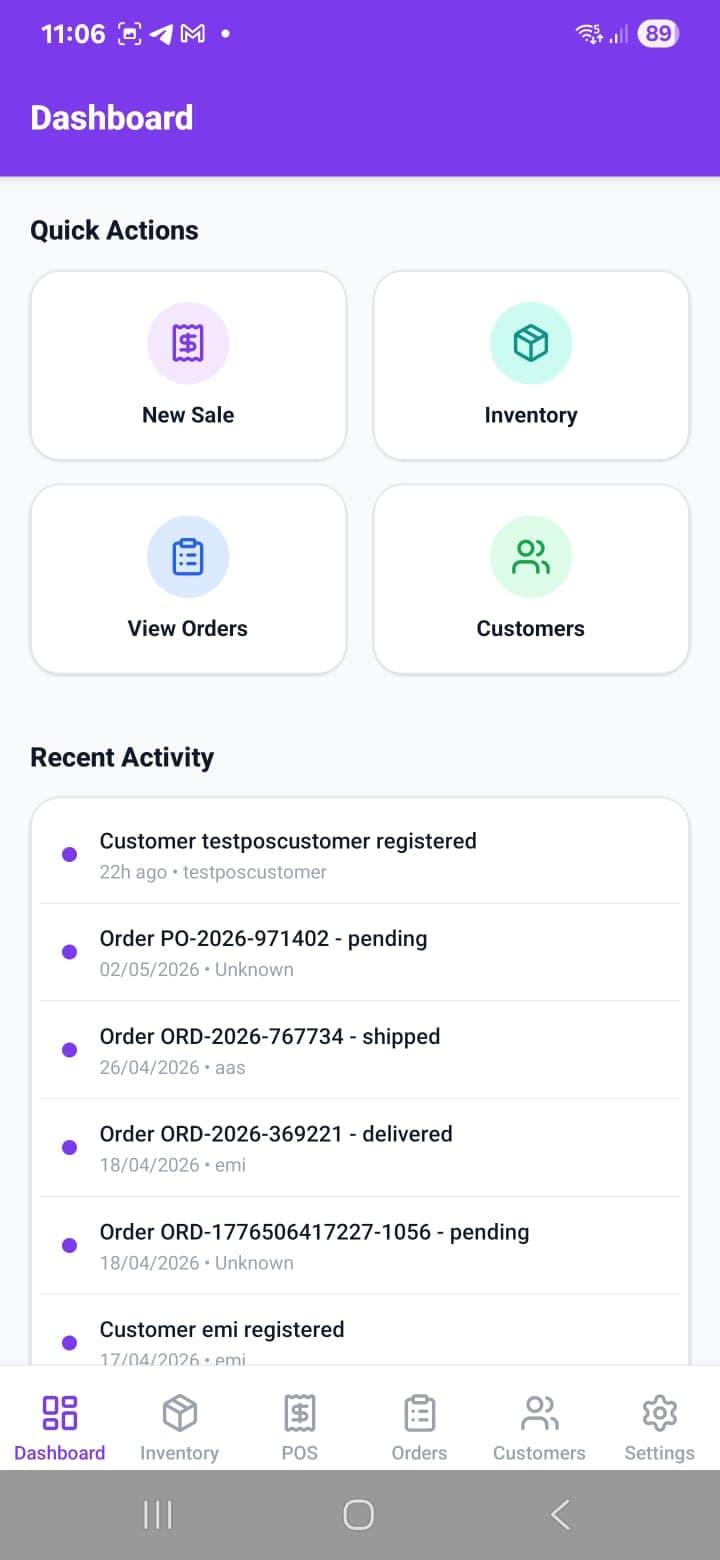
Business Packs

Industry presets with a barcode, receipt, and inventory soul.

AlphaTill packs tune the same local-first POS workspace for different counters: parts desks, restaurants, groceries, electronics, construction supply, clothing, services, and general retail.

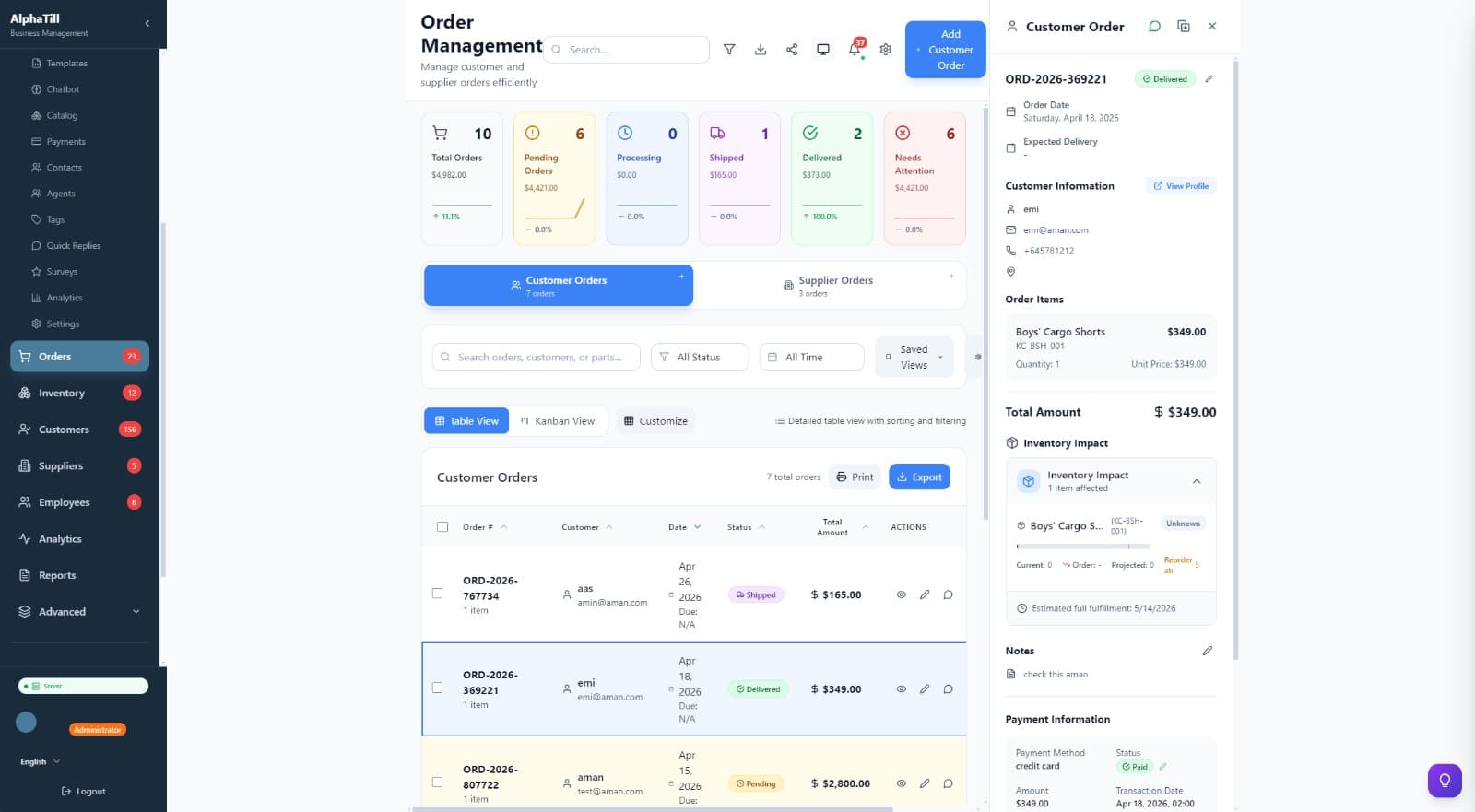
AlphaTill order management screenshot

Barcode-first catalog

Scanner-friendly product fields, SKUs, labels, and category layouts.

QR assisted pairing

Pair mobile companions and counter devices using local-network workflows.

Receipts and order trails

Keep orders, line items, payments, and fulfillment notes easy to follow.

Inventory control

Track stock movement, reorder points, suppliers, and variants by pack.

Business Pack

Auto Parts

Parts-focused inventory presets for fitment notes, supplier references, customer vehicles, and repair counter workflows.

  • Fitment notes
  • Supplier part references
  • Workshop job cards
  • Customer vehicle history
  • Core return tracking

SKU preset

AT-AUTO-0427

AUTO PARTS SAMPLE
Brake pads1.00
Oil filter2.00
Core deposit3.00
SCAN · SELL · RESTOCK
Business Pack

Restaurant

Food-service presets for menus, modifiers, tables, order timing, and kitchen handoff.

  • Tables and order types
  • Menu modifiers
  • Kitchen handoff labels
  • Delivery order tracking
  • Tip and split bill fields

SKU preset

AT-REST-1085

RESTAURANT SAMPLE
Table 041.00
Combo meal2.00
Kitchen note3.00
SCAN · SELL · RESTOCK

Business Pack

Grocery

Grocery presets for fast barcode selling, expiry checks, shelf categories, and supplier restocking.

  • Expiry tracking
  • Weight-based products
  • Loyalty fields
  • Bulk pricing fields
  • Low-stock shelf alerts

SKU preset

AT-GROC-2201

GROCERY SAMPLE
Bananas/kg1.00
Milk 1L2.00
Loyalty points3.00
SCAN · SELL · RESTOCK

Business Pack

Electronics

Electronics presets for serials, warranties, trade-ins, accessories, and repair intake notes.

  • Serial number fields
  • Warranty dates
  • Repair tickets
  • Trade-in references
  • Technical product specs

SKU preset

AT-ELEC-7730

ELECTRONICS SAMPLE
USB-C cable1.00
Warranty2.00
Serial scan3.00
SCAN · SELL · RESTOCK

Business Pack

Construction

Construction supply presets for project references, bulk materials, deliveries, and contractor accounts.

  • Project references
  • Bulk material units
  • Delivery scheduling fields
  • Contractor accounts
  • Waste tracking notes

SKU preset

AT-BLD-5918

CONSTRUCTION SAMPLE
Cement bags1.00
Delivery slot2.00
Contractor ref3.00
SCAN · SELL · RESTOCK

Business Pack

Clothing

Fashion presets for variants, collections, exchanges, alteration notes, and customer preferences.

  • Size and color variants
  • Seasonal collections
  • Alteration notes
  • Customer preferences
  • Exchange workflows

SKU preset

AT-FASH-3164

CLOTHING SAMPLE
Size M1.00
Blue denim2.00
Exchange note3.00
SCAN · SELL · RESTOCK

Business Pack

Service Business

Service presets for appointments, estimates, work notes, staff assignment, and package billing.

  • Appointment fields
  • Staff assignment
  • Job estimates
  • Service packages
  • Customer service history

SKU preset

AT-SVC-6402

SERVICE BUSINESS SAMPLE
Service call1.00
Labor line2.00
Follow-up3.00
SCAN · SELL · RESTOCK

Business Pack

General Retail

A flexible retail template for barcode products, customers, suppliers, payments, and day-end reporting.

  • Flexible categories
  • Barcode labels
  • Multi-unit products
  • Customer balances
  • Vouchers and store credit

SKU preset

AT-RTL-9008

GENERAL RETAIL SAMPLE
Gift item1.00
Store credit2.00
Receipt print3.00
SCAN · SELL · RESTOCK
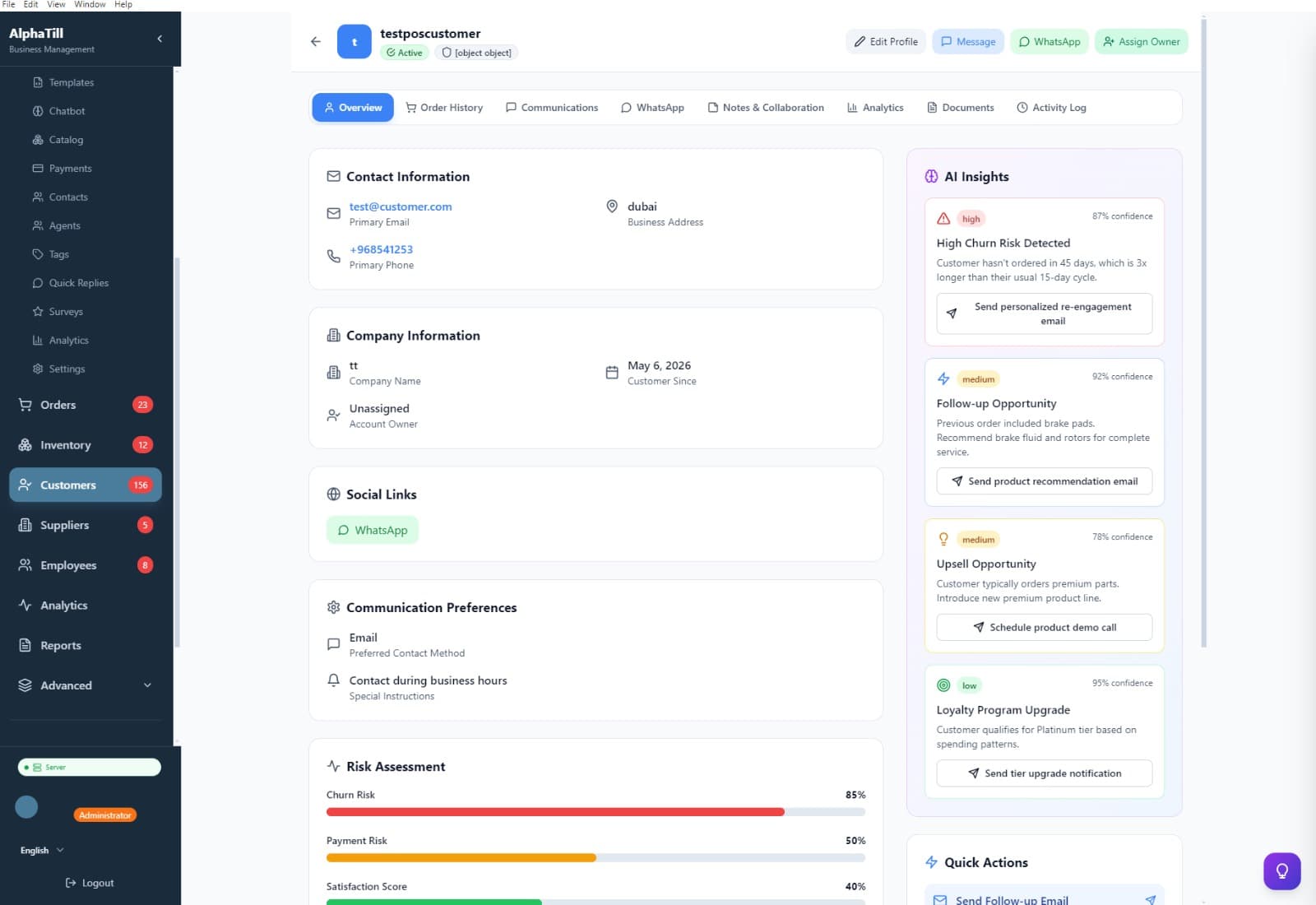
AlphaTill customer profile and AI insights screenshot
Same system, tuned per workflow

Packs change the operating language, not your data ownership.

Start with the pack closest to your business, then adjust terminology, fields, categories, and staff permissions as you learn what your team needs.

Switchable from Settings
Barcode and receipt ready
Works with mobile companion
Designed for local-first operations

Business packs are included with AlphaTill plans

Choose the closest starting point, then adapt fields and workflows from Settings as your operation evolves.