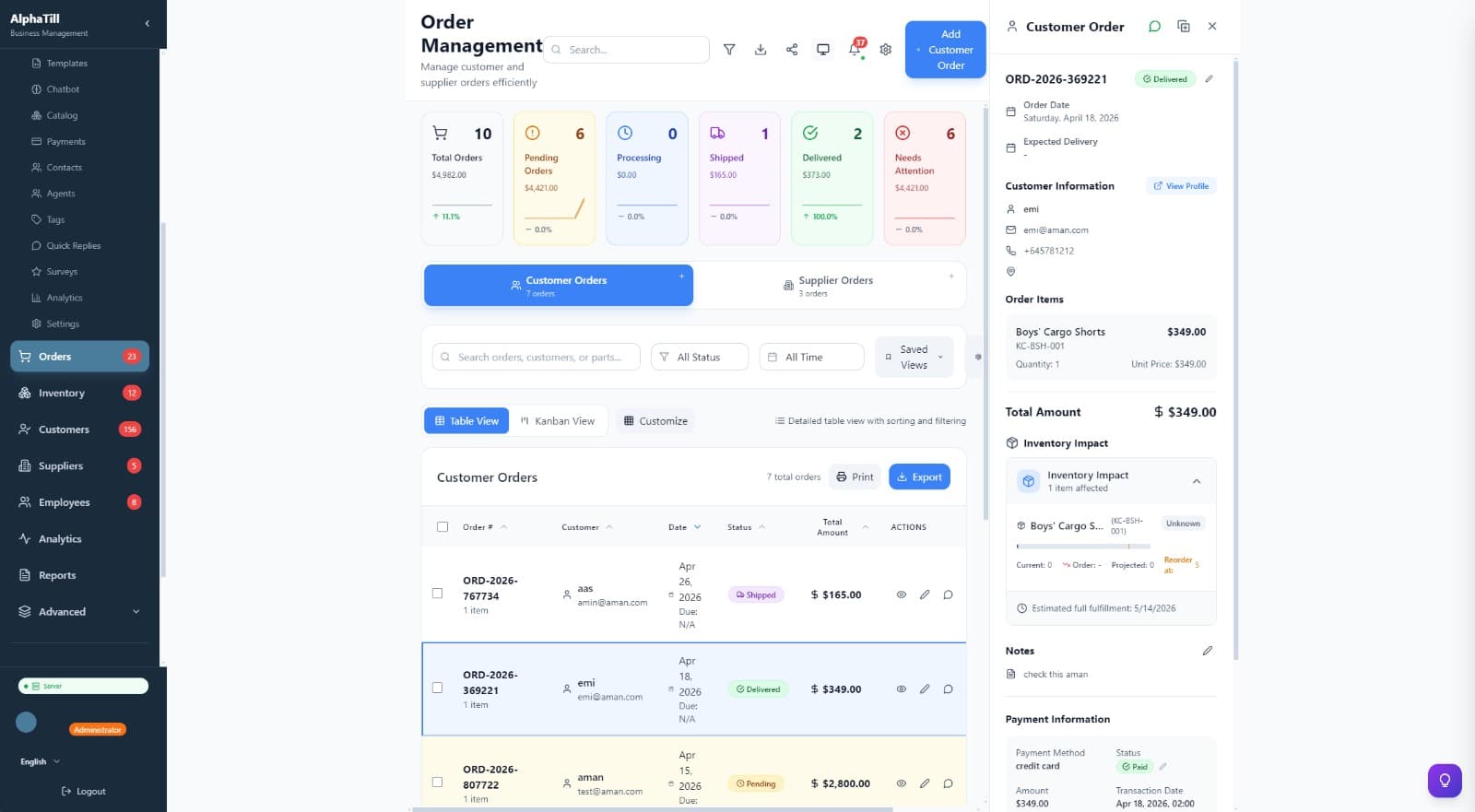
Point of Sale
Fast checkout, real stock, loyal customers
A cashier-ready POS with product search, quick access tiles, customer history, loyalty points, discounts, tax, tips, and payment controls in one focused workspace.
POS, inventory, finance, customers, WhatsApp, reports and local AI in one desktop app — with a companion mobile app for scanning and floor sales. Your computer is the system of record. The cloud is optional, and additive.
Add items in seconds with barcode, QR, or manual input.
Track stock, variants, expiry, suppliers, and reorders.
Quick billing, loyal customers, discounts, taxes & more.
Sales, profit, inventory, staff, and business insights.
Keep selling offline — sync whenever you reconnect.
Designed in Dubai for emerging markets. Be one of our founding customers —lock in your price for 24 months.
Local-first architecture
AlphaTill is an offline-first desktop application, not a cloud service with a thin client. The application, its database and the built-in local AI path run on your own computer. You may optionally connect a cloud AI provider.
That is not a detail of how we host things. It decides what can happen to you: we do not hold your business data, so we cannot lose it, leak it, or be compelled to hand it over.
And the consequence you feel on a bad day: if our website or servers go down, your point of sale keeps working. You can keep trading through an internet outage, because selling, printing and inventory run against the database on your own machine.
The local business database file itself is not encrypted by AlphaTill. We rely on operating-system full-disk encryption — BitLocker on Windows, FileVault on macOS, LUKS on Linux. Read the full security posture.
7 of these run entirely on your machine. 5 work with a limit worth knowing about, and 3 genuinely need us. Three things need us, and they are in the table too rather than in a footnote: activating a new device, buying or changing a plan, and anything that sends a message out of your shop.
| Capability | With no internet | What that means |
|---|---|---|
| Ring up a sale and take payment | Works offline | The till writes to the SQLite database on that PC over loopback. Cash, card-present terminals and split payments are all recorded locally. |
| Print a receipt | Works offline | ESC/POS, Star or raw protocol over USB, serial or your own network printer — the print path is a local device, not a print service. |
| Open the cash drawer | Works offline | Triggered through the receipt printer, a serial port or a network drawer, including the no-sale open. |
| Scan a barcode | Works offline | HID (keyboard-wedge) and serial scanners both work, and lookup matches SKU, barcode or OEM number against the local cache. |
| Adjust stock, add products, receive goods | Works offline | Every inventory write, and its history record, land in the same local database as the sale that consumed the stock. |
| Look up a customer and their history | Works offline | Customer records, loyalty balances and past purchases are local rows. |
| Run reports and see the dashboard | Works offline | Sales, profit, stock and staff reports are queries against the local database, so they are unaffected by connectivity. |
| Scheduled backup | Works, with a limit | The backup file is written on schedule to the folder you chose, internet or not. If your own cloud client syncs that folder, the off-site copy leaves when that client next reaches the internet — not before. |
| Second till or the mobile companion | Works, with a limit | Works on your own network with no internet: one PC runs in server mode and the others connect to it over the LAN. It needs that LAN and a firewall rule — a station on a different site cannot reach it. |
| Licence check-in | Works, with a limit | A paid licence keeps working through a lapse: 30 days of full access, then 15 days of POS and inventory only, then read-only. When a free trial ends you keep full access for 3 more days with a reminder banner, then AlphaTill asks you to choose: continue free on Solo, or upgrade. Until you choose, the app is read-only — your data is all there and exportable, but new transactions wait for the choice. It never bricks, and your data is exportable at every stage. |
| Start the free trial on a fresh install | Works, with a limit | The trial starts offline — a failed or timed-out check is treated exactly like being offline, never as a refusal, so a shop with a dead uplink can still open its till. |
| AI assistant | Works, with a limit | Offline only with a local model. The Full edition bundles one; the Lite edition fetches a model on first use, or you point AlphaTill at Ollama or LM Studio on your own machine. Choose a cloud provider instead and it needs the internet like any other cloud service. |
| Activate AlphaTill on a new device | Needs internet | Activation reaches our licence server. If it cannot, you get a 5-day preview window to keep working while it retries. |
| WhatsApp messages and campaigns | Needs internet | The only part of AlphaTill that genuinely needs the internet. Sending uses a linked WhatsApp Web session on your own number, so with no connection a send fails and is recorded as failed — it is not queued for later. |
| Buying, upgrading, or the customer portal | Needs internet | Anything to do with your subscription happens on our servers, not in the app. |
Every row was checked against the shipping source before it was published. If your experience differs from this table, that is a bug in one of them — tell us.
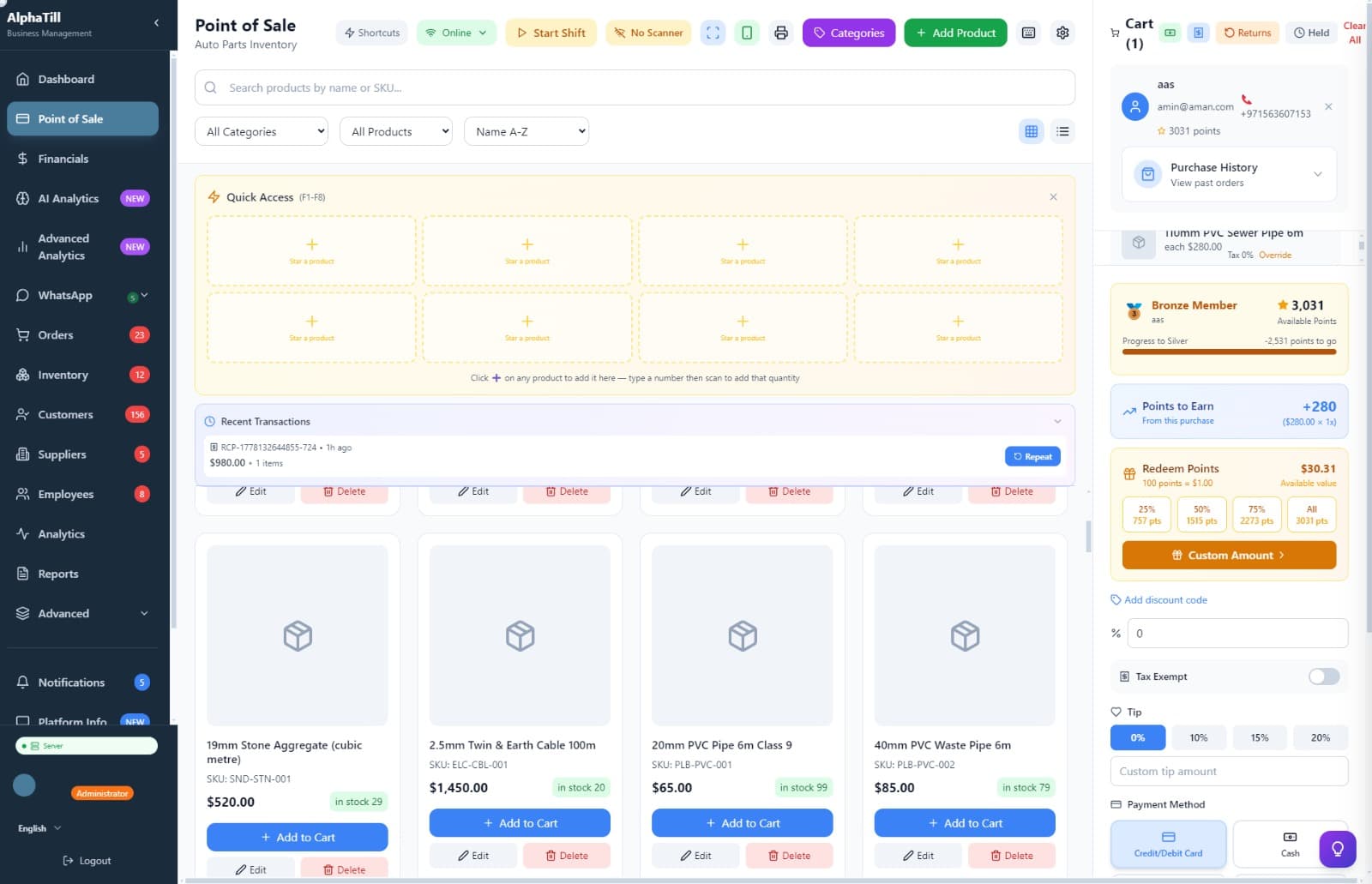
AlphaTill combines a practical cashier workflow, manager-grade dashboards, and local AI into one polished desktop workspace.
Point of Sale
A cashier-ready POS with product search, quick access tiles, customer history, loyalty points, discounts, tax, tips, and payment controls in one focused workspace.
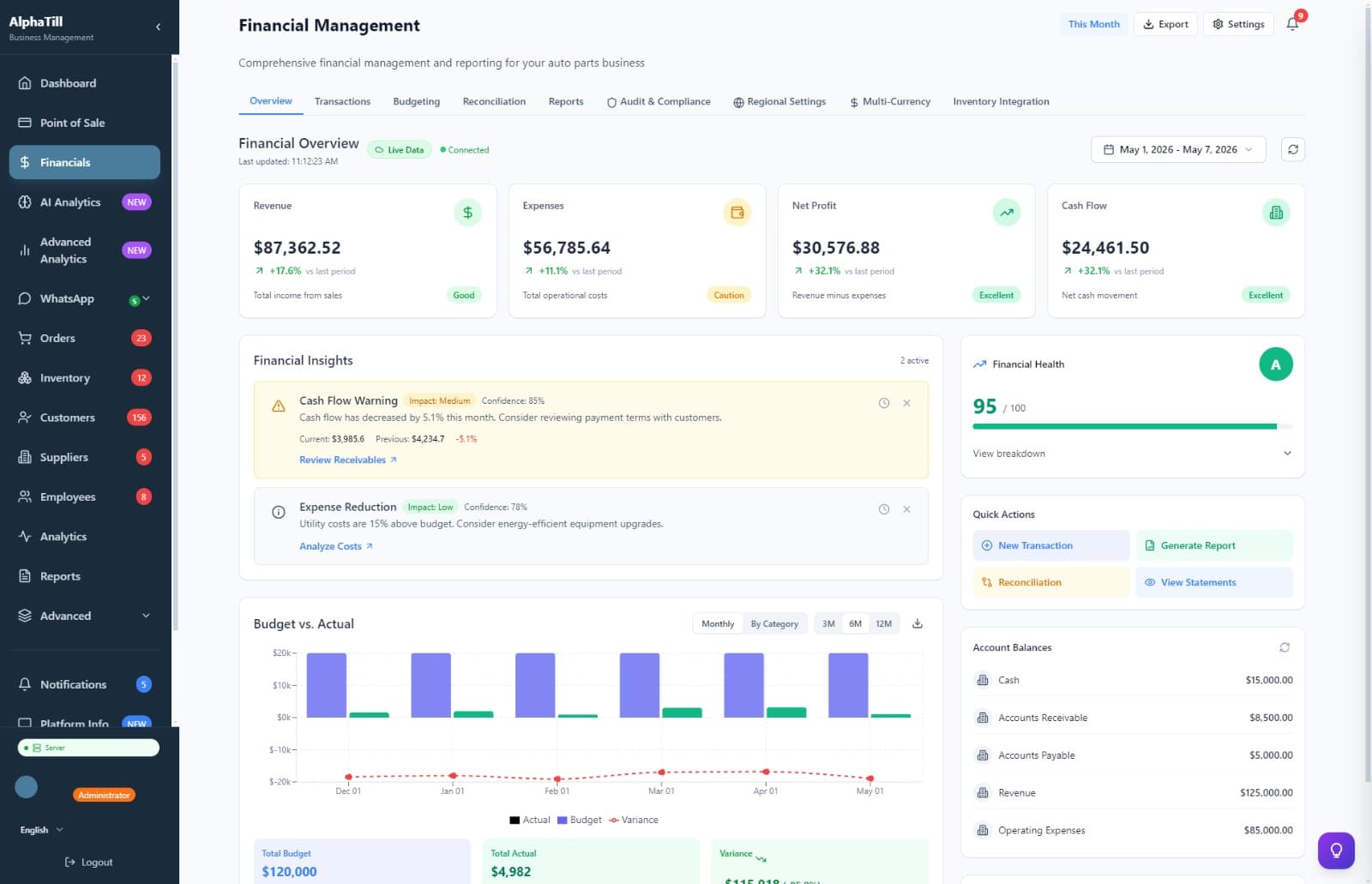
Financial Suite
Revenue, expenses, profit, budget-vs-actual, account balances, reconciliation, and insights are visible in one dashboard built for daily decisions.
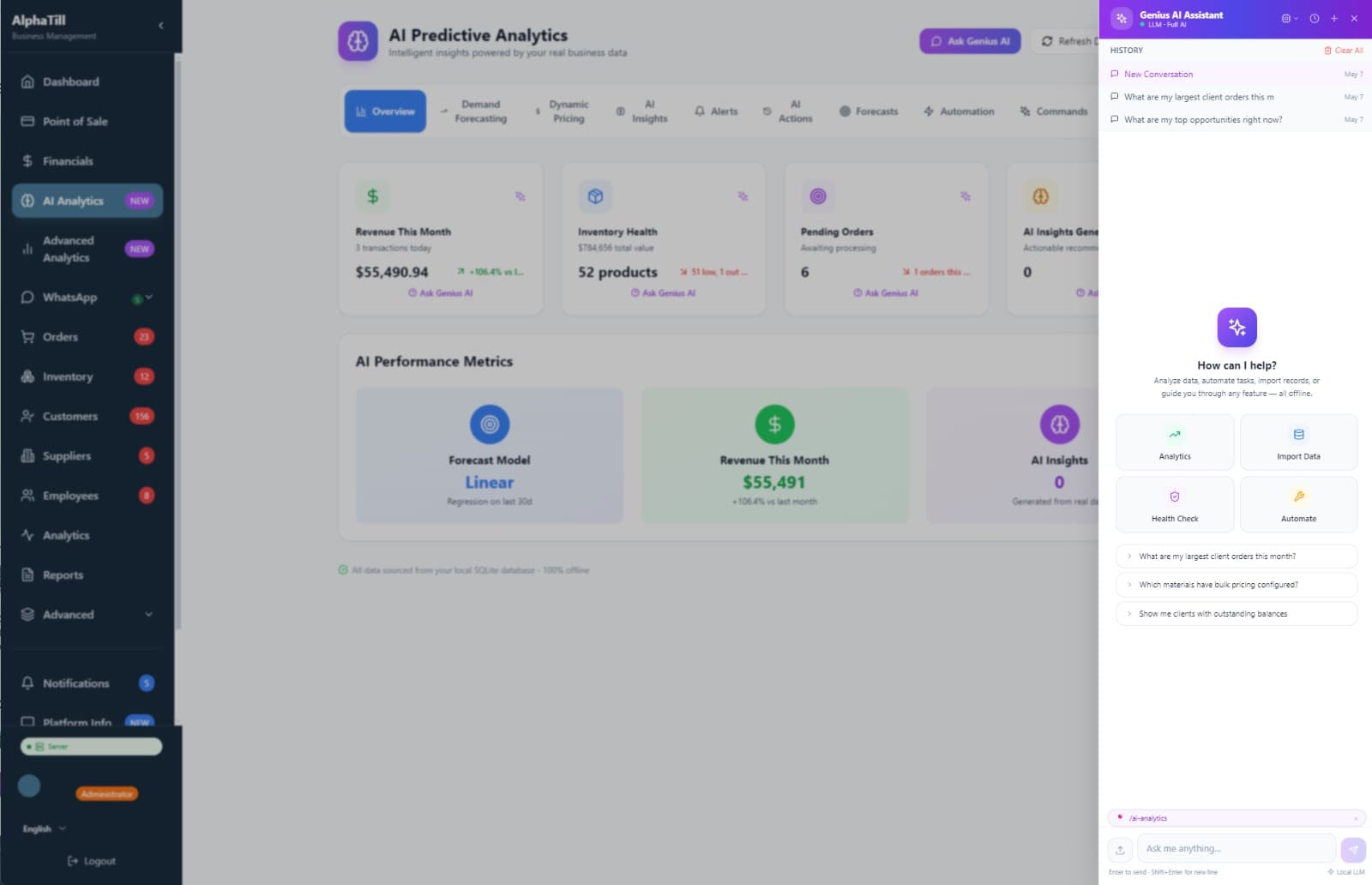
Genius AI
Ask questions, explain insights, navigate modules, and get operational suggestions without shipping your business data to a cloud LLM.
POS, inventory, customers, reports, and local-first workflows in one desktop app.
Your PC holds the database and runs the app. The cloud is something you add — a backup destination, a licence check — never the thing your till depends on.
Local AI tools can help with insights, summaries, and operational recommendations.
8 business pack presets: auto parts, restaurant, grocery, electronics, and more.
Send invoices, reminders, and updates directly through WhatsApp.
Reports, budgets, reconciliation, and account views for day-to-day business visibility.
Barcode scanners, receipt printers, cash drawers — plug and play.
Pair AlphaTill Mobile with your desktop app over the local network. Scan barcodes, check inventory, review orders, and serve customers without walking back to the counter.
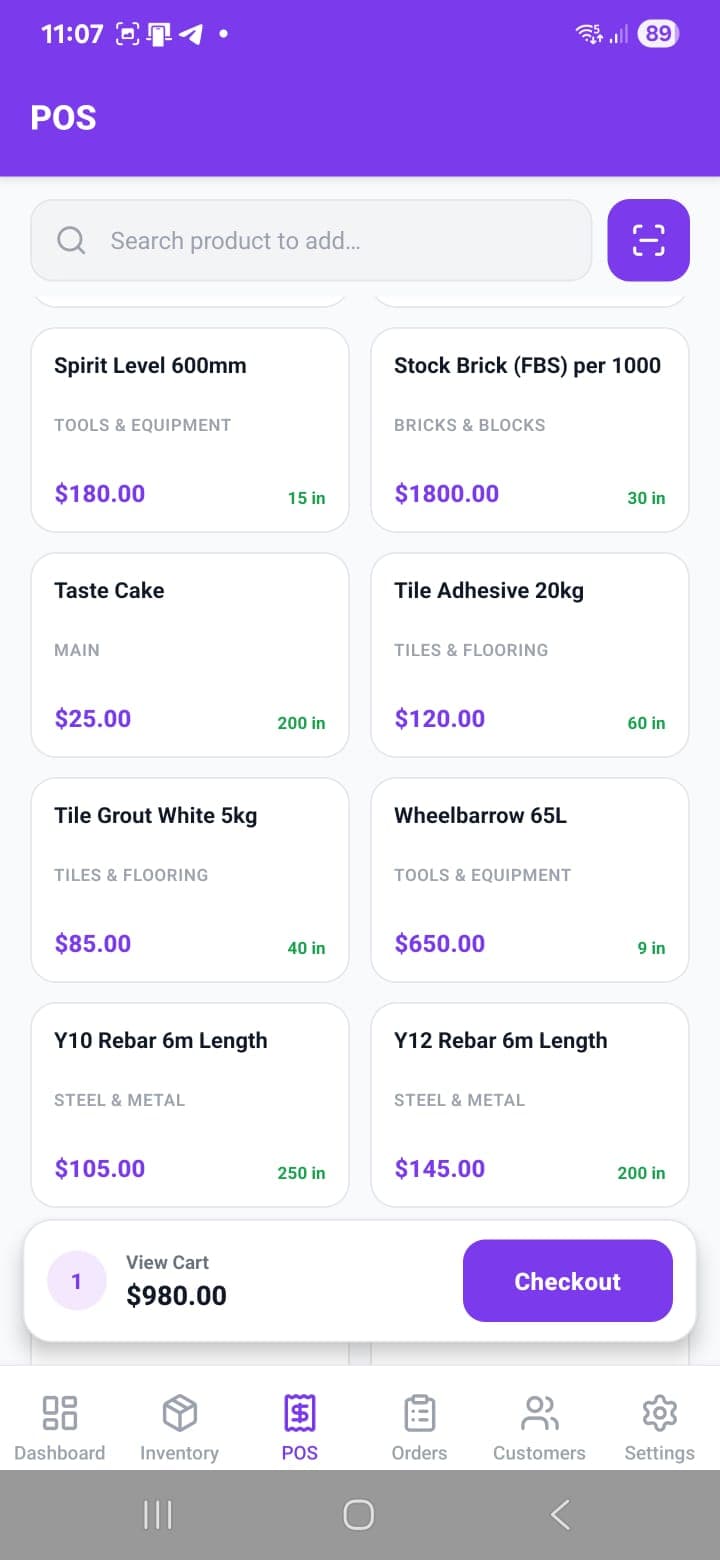
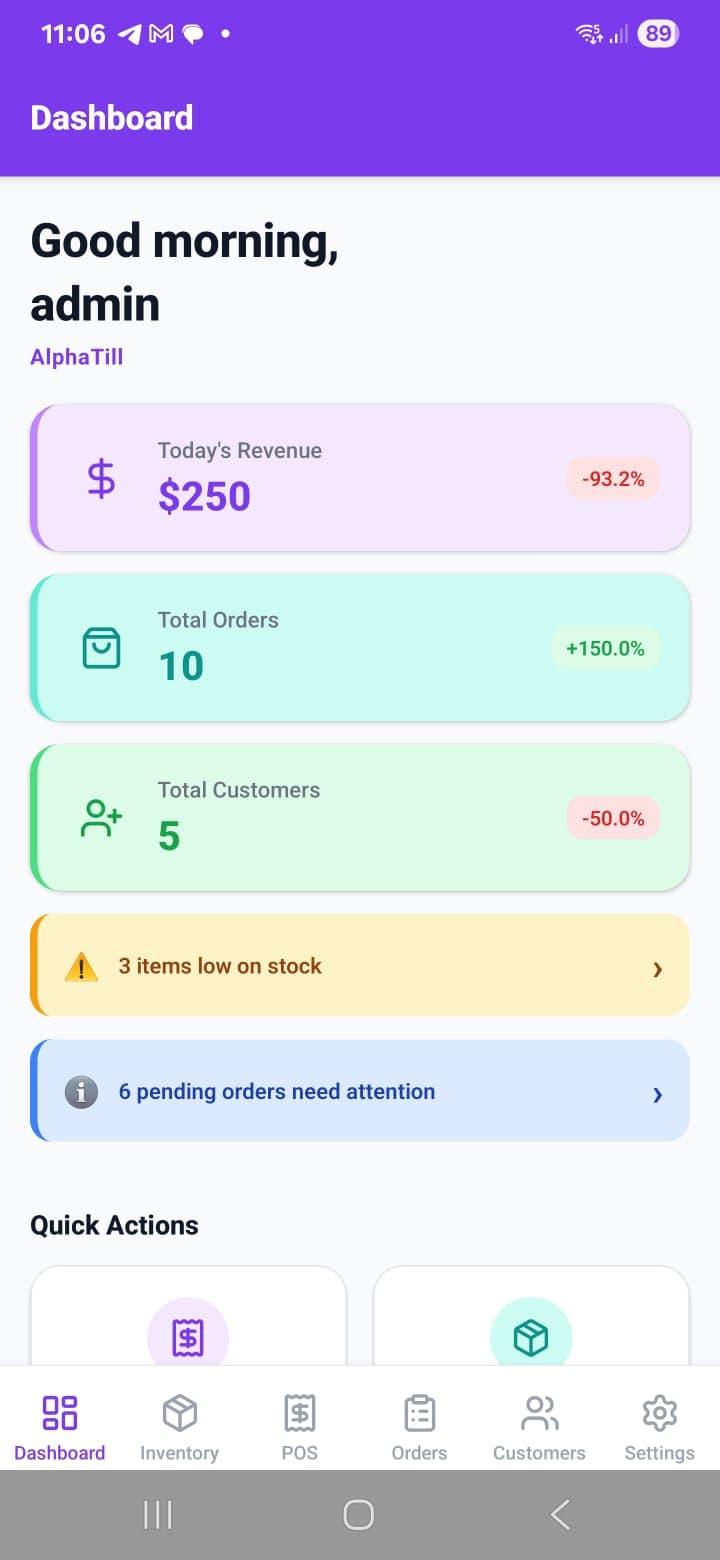
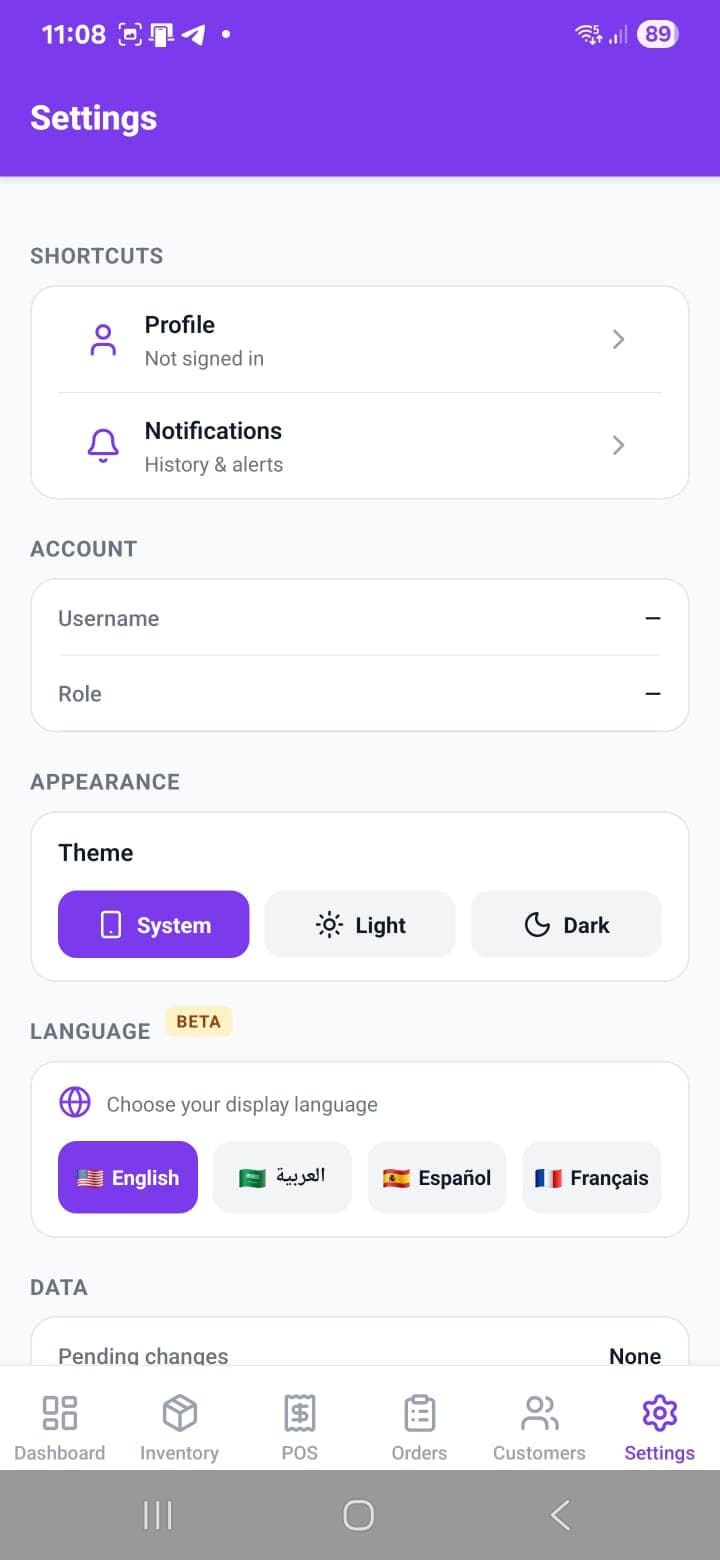
Pre-configured packs for your industry with the right terminology, workflows, and reports.
Simple setup, guided configuration, and optional cloud services when you need them.
Get the Windows installer — installs in 2 minutes.
Guided setup wizard configures your business pack and preferences.
Start managing POS, inventory, customers, and finances immediately.
Three promises we make to every merchant who installs the app.
POS, inventory, financials, and reporting are built around local-first desktop workflows. Cloud backup is optional.
The assistant is designed around local workflows so sensitive operational context can stay closer to your device.
Auto parts, restaurant, grocery, electronics, construction, clothing, service, general retail — swap anytime.
Honest about where we are: pre-launch, taking on founding customers now. Real testimonials will live here once early adopters have run their businesses on it for a few months.
Core desktop workflows are designed to run locally. Internet is used for the initial download, backup to your own cloud folder, support services, and periodic license check-ins on paid plans.
Yes. Starter includes 1 PC + 1 mobile companion; Professional includes 3 PCs + 1 mobile companion; Business includes 10 PCs + 1 mobile companion. Multi-device sync runs over your LAN so it works even without internet.
Your data is never locked. You get 30 days of full access, then 15 days of POS and inventory only, then read-only — you can always export your database. Your local database itself never stops working, because it lives on your computer.
No — we never hold a copy. Everything is stored locally on your computer, and optional backup automation writes to your own Google Drive, OneDrive or Dropbox folder. The local business database file itself is not encrypted by AlphaTill. We rely on operating-system full-disk encryption — BitLocker on Windows, FileVault on macOS, LUKS on Linux. You own your data completely.
Yes. You can change your business pack at any time from Settings without losing data.
Yes — paid plans include a 14-day free trial with no credit card required; annual plans get an extended trial period.
Built for businesses that can’t afford downtime
Works offline
Always available
Your data is yours
Local-first by design
Secure & private
No cloud lock-in
Fast & lightweight
Optimized for speed
No credit card required. Professional modules available during trial.